Lian Li V100 Fan Setup: Which Way Each Fan Blows and What to Add
By Marlo Strydom · Last updated


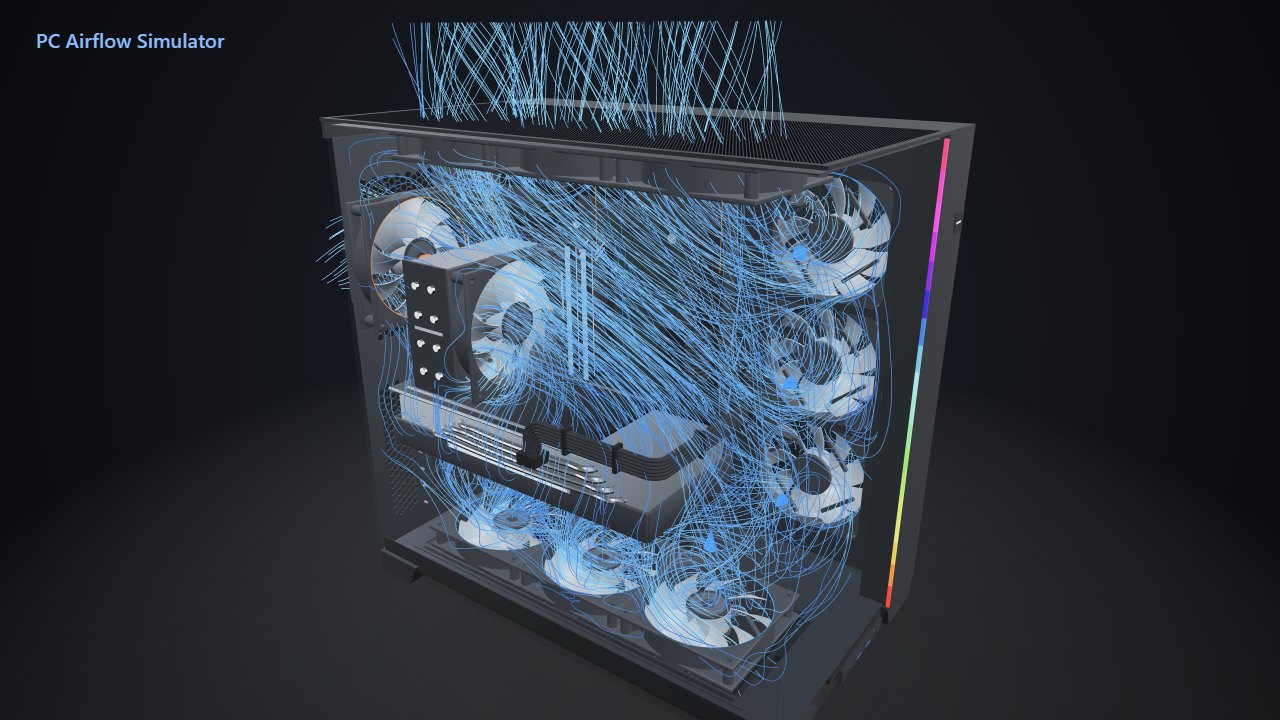
The Vector V100 has no front fans. Its glass front and side leave the work to three fans tucked in front of the motherboard, one at the rear, and room for five more on the roof and floor.
Owners ask the same two things: which way do these fans blow, and which empty spots are worth filling? We ran the case through our 3D airflow model, and the roof turned out to matter far more than the floor.
The Short Answer
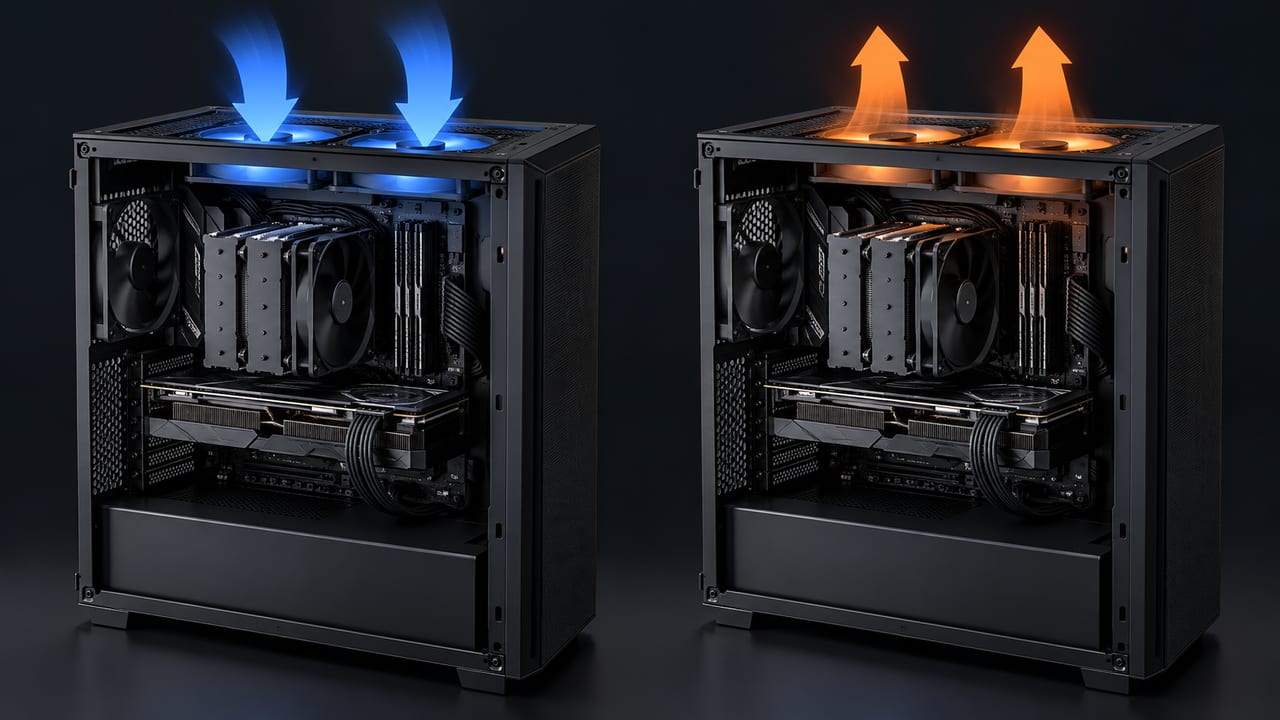
- Side and bottom fans blow in, and the top and rear fans blow out.
- Keep the V100R's four stock fans as they come: three side intakes and a rear exhaust.
- Add three top exhausts first: in our model, air near the CPU cooler moved 13% faster.
- Leave the two bottom spots for last, since those fans barely changed anything.
- The roof is the only radiator spot, for a 280 or 360 mm AIO.
Where Each Fan Goes
Air comes in through the mesh panel behind the motherboard tray, crosses the graphics card and CPU cooler, then leaves through the roof and rear. Noctua's airflow guide treats side intakes like front ones, with the exhausts at the back and top.
| Spot | Fits | V100R comes with | Direction |
|---|---|---|---|
| Side | 3 × 120 mm | 3 fans | In |
| Top | 3 × 120 mm or 2 × 140 mm | None | Out |
| Rear | 1 × 120 mm or 1 × 140 mm | 1 fan | Out |
| Bottom | 2 × 120 mm | None | In |
The sizes come from Lian Li's product page. The plain V100 is the same case with no fans, so if you have that one, start by filling the side and rear spots.
V100R owners report that the side fans come as reverse-blade intakes, with a normal rear exhaust. To check yours, try the tissue test from our airflow guide with the PC running.
Like the Lian Li O11, the V100 has a glass front, so its intakes sit on the side and floor. This guide covers the full-size case, not the smaller V100 MINI.
Which Fans to Add First
Each row adds to the one above it, so you can stop wherever your budget runs out. The order comes from our model runs below.
| Fans | Where they go |
|---|---|
| 4 | As the V100R ships: three side intakes, one rear exhaust |
| 7 | Add three top exhausts |
| 9 | Add two bottom intakes, if you already own the fans |
Two 140 mm fans can take the place of the three 120s on top. Our model ran every roof fan as an exhaust, and our top fan direction test covers the one roof spot where an intake can help.
What Our 3D Model Showed
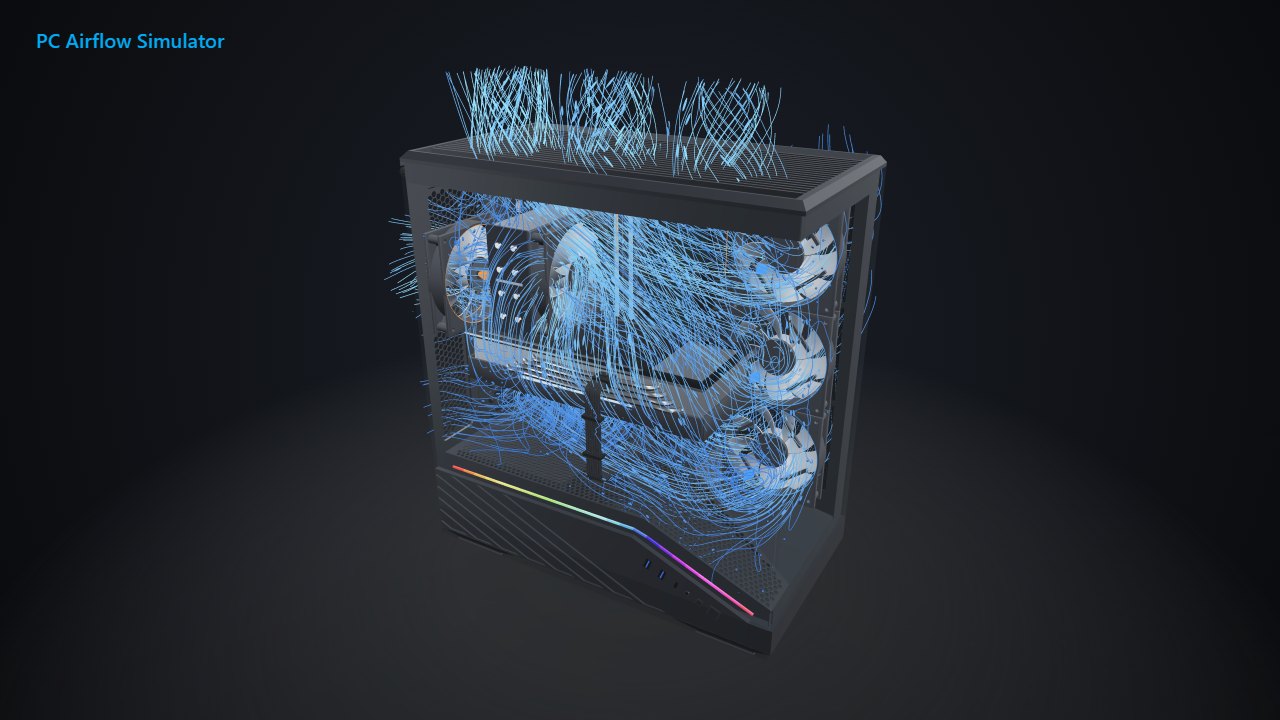
We ran four layouts in our PC Airflow Simulator, using its Pro model of the V100R. Each fan spun at 1,200 RPM, around a tower CPU cooler and a 315 mm graphics card. The table compares the air the fans moved, its speed near each part, and the pressure inside the case.
| Layout | Fans in | Fans out | CPU cooler | Graphics card | Pressure |
|---|---|---|---|---|---|
| As it ships: 3 side in, 1 rear out | 82 CFM | 40 CFM | 0.97 m/s | 0.78 m/s | +0.8 Pa |
| Add 3 top exhausts | 93 CFM | 133 CFM | 1.10 m/s | 0.82 m/s | −1.7 Pa |
| Add 2 bottom intakes instead | 108 CFM | 40 CFM | 1.00 m/s | 0.78 m/s | +0.7 Pa |
| All 9 fans | 125 CFM | 135 CFM | 1.11 m/s | 0.82 m/s | −1.7 Pa |
The top exhausts did nearly all the work. Compared with the stock fans, air near the CPU cooler moved 13% faster and air near the graphics card 6% faster.
The bottom fans pushed 26 CFM more air in, yet the air near the parts barely sped up: 3% at the CPU cooler and nothing at the graphics card. Once the top fans were in, adding the bottom pair changed each part by about 1%.
Watch the dust once the roof fans go in. They pulled out more air than the fans pushed in, and Noctua warns that this negative pressure draws dust through unfiltered gaps, so run the top fans a little slower than the side fans.
Lian Li rates the stock fans but publishes no airflow curve, so the model runs every fan as a generic 120 mm fan. The numbers are simulated, measure moving air rather than heat, and haven't been checked against a real V100. Use them to compare layouts, then confirm with real temperatures. To check whether your fans can carry your parts' heat, use our cooling calculator.
Different parts and fan speeds will move these numbers, so try your own build in the same model.
Where an AIO Radiator Fits
The roof is the only radiator spot Lian Li lists, for a 280 or 360 mm AIO. The radiator and its fans must stay under 60 mm thick together.
Mount it with its fans blowing out, in place of the top exhausts, and keep the side fans as intakes so it breathes fresh air. Noctua recommends a top radiator with exhaust fans for the lowest graphics card temperatures.
Sticking with air cooling? Lian Li lists room for a tower cooler up to 178 mm tall and a graphics card up to 420 mm long.
Test the Layout Before You Buy Fans
Each link opens our V100 model with that layout loaded, free. Drop in your own parts, then run it with PC Airflow Simulator Pro:
- The four stock fans
- Stock fans with three top exhausts
- Stock fans with two bottom intakes
- All nine fans
To set how fast each fan speeds up as your PC warms, use our fan curve calculator. Then change one fan at a time, play the same game before and after, and log CPU and graphics card temperatures in HWiNFO or our free PC Reporter.
Related Posts